Lots of "just use X" comments but the article is about showing the bare minimum/how easy the core part of routing actually is.
Also, if you have ever used docker or virtual machines with NAT routing (often the default), you've done exactly the same things.
If you have ever enabled the wifi hotspot on an android phone also, you've done pretty much what the article describes on your phone.
All of these use the same Linux kernel features under the hood. In fact there is a good chance this message traversed more than one Linux soft router to get to your screen.
Yeah I find it more interesting to see how it's built from scratch, then I can decide if it's worth doing myself or just using X. I think this is a good software principle in general.
Basically any computer is a router if you're brave enough.
Windows PCs had (have?) that Internet connection sharing feature for a long time. It was really just a checkbox to enable NAT too.
Sometimes I think combining a firewall/router/switch/AP/file server/etc into a device called a "router" really confuses people. Even people who should know better.
It is much, much easier than it used to be. The documentation and videos alone available make something like this a very welcoming learning experience that anyone can complete step by step by pausing a video and replaying it.
Like most things, really. I used to build routers from old PCs, but eventually those tiny appliances caught up with the performance/functionality I need.
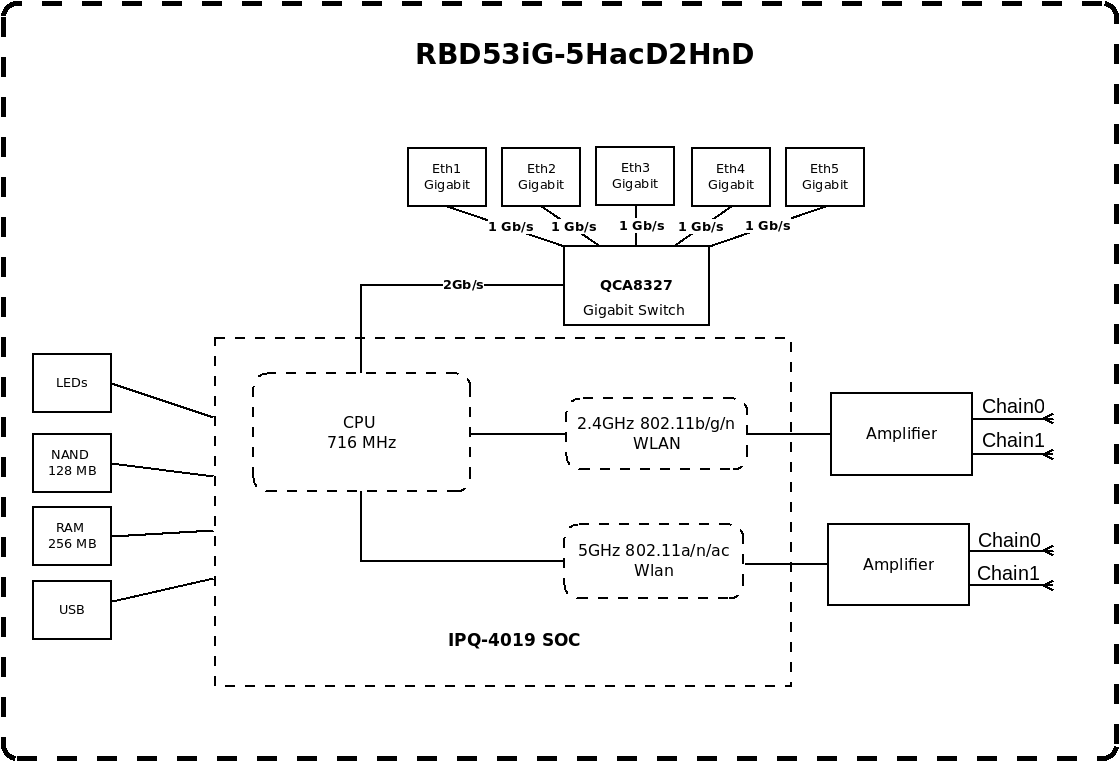
You can do a lot of routing on a $70 Mikrotik, although they might not be "easy".
On printed page five of the brochure [0] it mentions
  Size of RAM   32 GB ECC
  RAM type      DDR4
On the one hand, it'd be nice if that was mentioned everywhere that the RAM size was mentioned. On the other hand, perhaps ECC RAM is effectively mandatory for Enterprise equipment, so mentioning it is redundant? IDK, I don't often purchase that sort of stuff.
> It's because it's mandatory that it should be front and center on any list of specs.
Eh... I could go either way on that. Spec sheets and marketing copy for these things don't include the phrase "Runs on electricity!" because that property is effectively mandatory. If ECC is effectively mandatory for enterprise-grade networking gear, I can totally see not mentioning it.
On the other hand, I'm pretty sure it's -infuriatingly- not at all mandatory for SOHO/"prosumer" gear, so it's important to mention for things you're selling in those markets.
For sure, it's a path and passage towards devices like that.
Everyone has a starting point, starting with soemone has lying around is one thing.. the quicker they can get going the more they can get to leveraging the real power in most devices.
the naming is part of the confusion. consumer "routers" are really NAT gateway + DHCP server + DNS cache + WiFi AP + maybe a firewall, all in one box. separating them makes each piece clearer.
Iirc classic WRT-841 and similar "300Mbit WiFi" generation 4-100Mbit-ports Wi-Fi routers had the CPU attached via an on-SoC gigabit link to a vlan capable switch that has the 4 100BASE-TX ports exposed.


Also, if you have ever used docker or virtual machines with NAT routing (often the default), you've done exactly the same things.
If you have ever enabled the wifi hotspot on an android phone also, you've done pretty much what the article describes on your phone.
All of these use the same Linux kernel features under the hood. In fact there is a good chance this message traversed more than one Linux soft router to get to your screen.